What Is Wplace? The Complete Guide 2025 for Beginners
In the rapidly evolving landscape of digital collaboration, a new phenomenon has captured the imagination of millions worldwide. What is Wplace? This question has been trending across social media platforms as the platform reached over 10.6 million users by September 2025, just weeks after its July launch. Wplace represents a groundbreaking fusion of geographic exploration and collaborative pixel art, offering users an unprecedented canvas to "paint the world" together.
What Is Wplace?
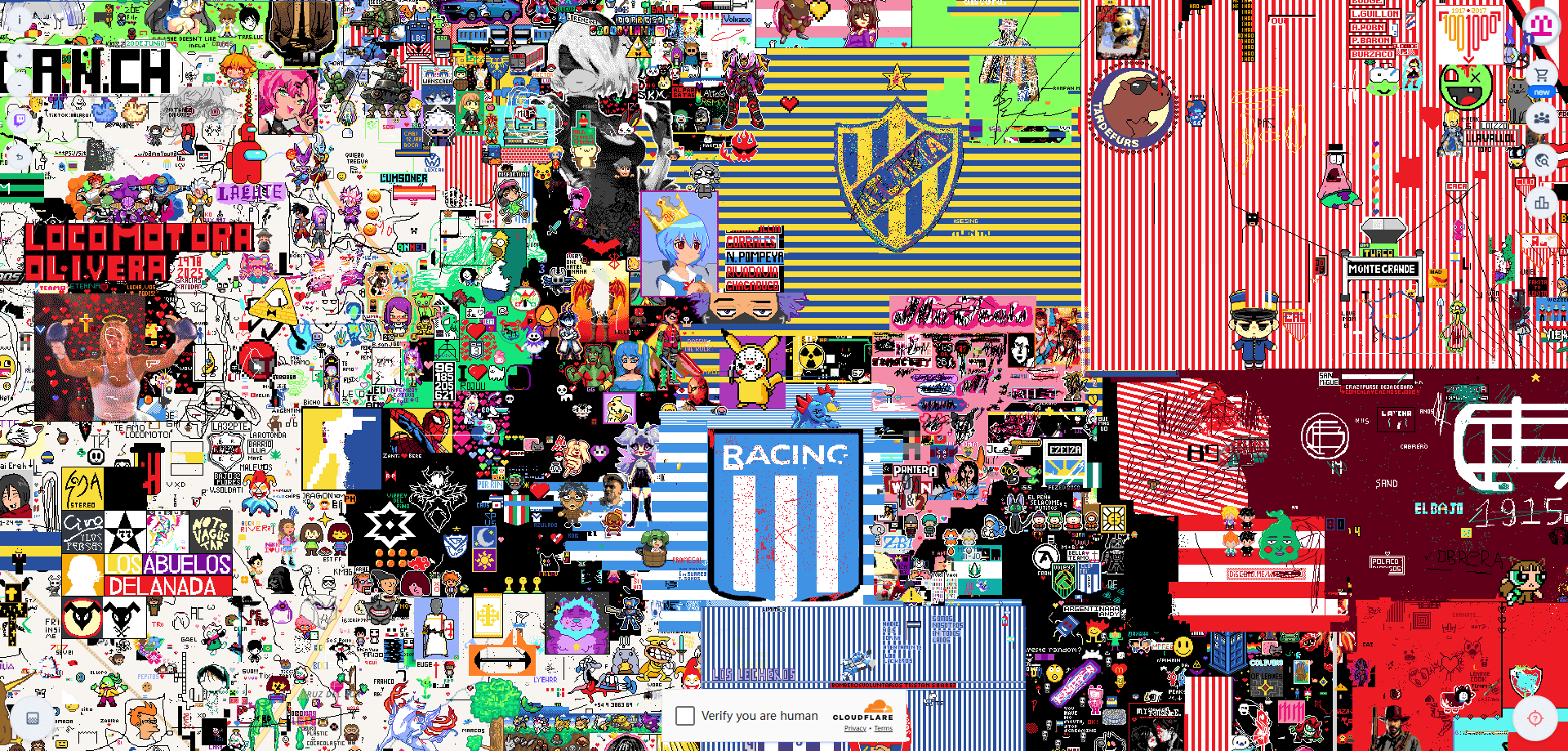
Wplace is a collaborative online platform that enables users worldwide to create pixel art on a massive 4-trillion-pixel digital canvas overlaid on a world map. Unlike temporary artistic experiments, Wplace operates as a permanent, ever-evolving digital masterpiece where creativity knows no geographical boundaries.
Launched on July 21, 2025, by Brazilian developer Murilo Matsubara, Wplace has quickly distinguished itself from similar platforms like Reddit's r/place through several key innovations:
- Permanent Operation: Unlike time-limited r/place events, Wplace operates continuously, allowing for sustained creative projects
- Massive Scale: With approximately 4 trillion pixels, Wplace's canvas is vastly larger than r/place events
- Geographic Context: The canvas is mapped to real-world locations, creating meaningful connections between digital art and physical places
- Evolving Pixel Economy: Users start with limited pixels but can expand their creative capacity through continued engagement
The platform's explosive growth from a solo development project to a 46-member team managing millions of users demonstrates the universal appeal of collaborative digital creation.
How Wplace Works (In 3 Minutes)
To fully grasp Wplace, you need to understand its elegant yet sophisticated mechanics that balance individual creativity with collaborative necessity.
The Pixel Pool System
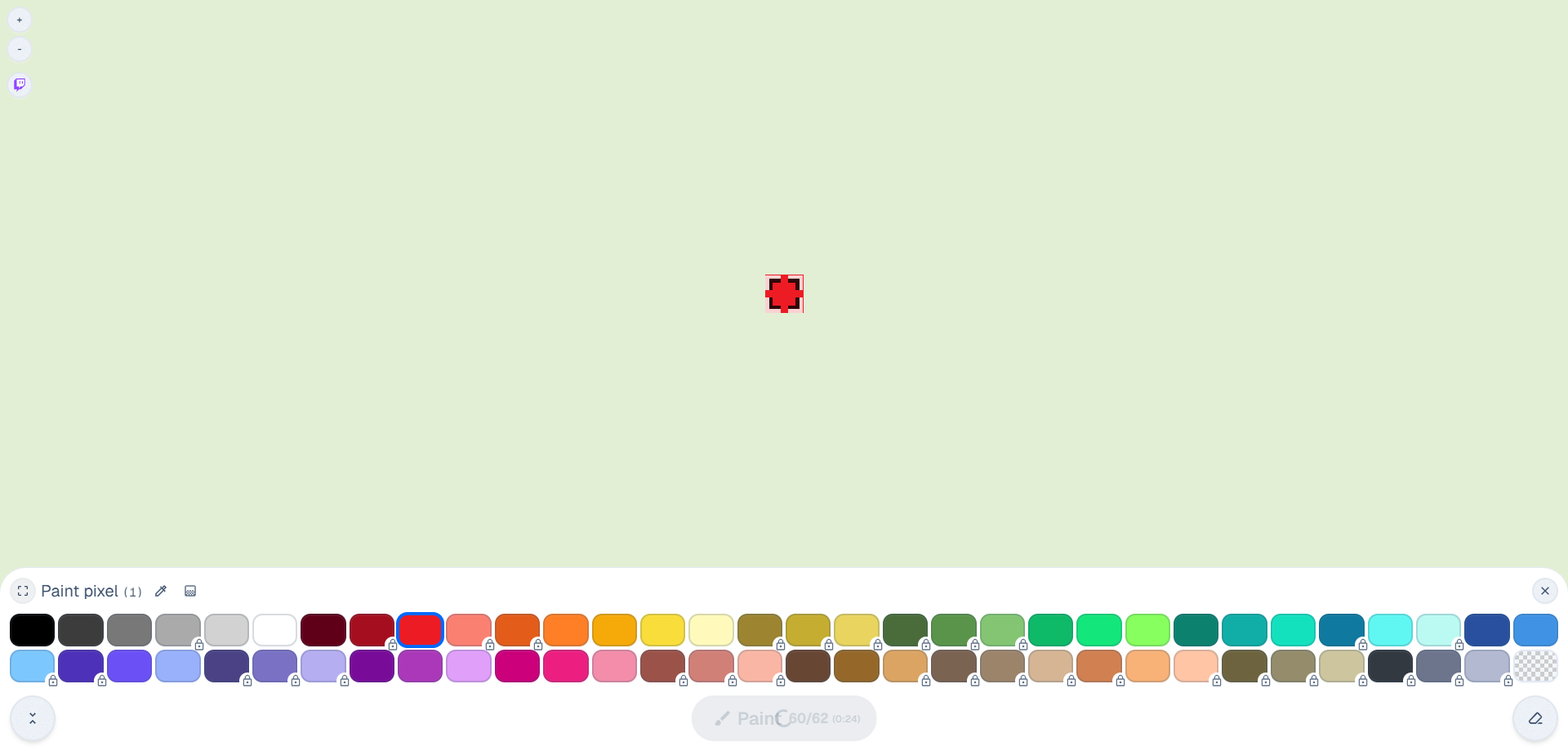
Every Wplace user begins their journey with a limited pool of pixels, referred to as "droplets." Users start with a limited pixel pool (typically around 60 pixels, though this may vary with updates) to place anywhere on the world map. The magic happens in the regeneration system: every 30 seconds, one pixel is replenished, ensuring continuous engagement without overwhelming the canvas with rapid-fire changes.
As users continue to participate and level up, their maximum pixel pool expands, rewarding dedication with greater creative capacity. This gamified approach encourages both newcomers and veterans to maintain regular engagement with the platform.
Collaborative Necessity
The 30-second cooldown isn't just a technical limitation—it's a fundamental design choice that promotes collaboration. Large-scale artworks require multiple contributors working in coordination, fostering community building and shared creative vision.
Community Guidelines and Etiquette
Wplace operates on principles of respectful collaboration:
- Overwriting is allowed: Users can paint over existing artwork, but mindless vandalism is discouraged
- No automation: Bots and automated pixel placement are strictly prohibited
- Content moderation: Inappropriate content, hate speech, and violations are actively monitored and removed
The platform features a leaderboard showcasing which countries and regions host the most pixels, creating friendly competition and regional pride in collaborative achievements.
When Did Wplace Launch? A Short Timeline
Wplace's development story begins with an ambitious vision that quickly exceeded all expectations:
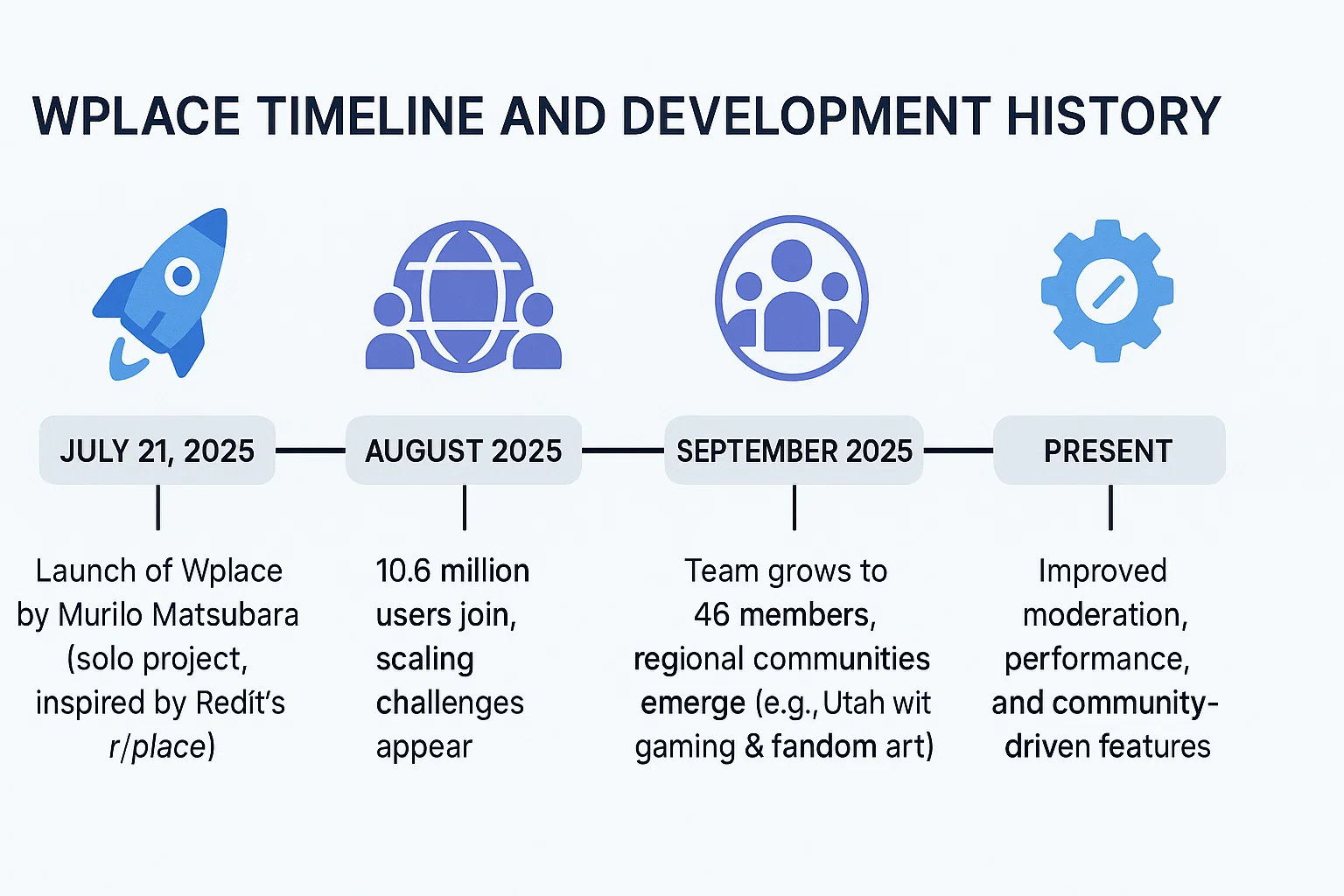
July 21, 2025: Wplace officially launches after three months of development by Brazilian developer Murilo Matsubara. The project begins as a solo endeavor inspired by Reddit's r/place but with permanent operation and geographic context.
August 2025: Within the first month, Wplace attracts over 10.6 million users globally, creating immediate scaling challenges and the need for expanded infrastructure.
September 2025: The development team expands to 46 members, including volunteers, to manage rapid growth and address moderation challenges. Regional communities begin establishing recognizable territories, with notable activity in Utah featuring gaming and fandom artwork.
Present: Wplace continues to evolve with improved moderation systems, technical performance optimizations, and community-driven features.
The platform's cultural impact extends beyond mere entertainment, with users creating artwork ranging from pop culture tributes and local landmarks to political messages and social commentary. Mainstream media coverage has documented Palestinian flags appearing over Gaza and tanks near the Russian-Ukrainian border, demonstrating how digital art intersects with real-world events.
How Many Pixels? And What Does One Pixel Mean?
One of Wplace's most impressive technical achievements lies in its massive scale: 4 trillion pixels comprise the interactive world map canvas.
Understanding Scale
To put this number in perspective, based on Earth's surface area of approximately 510 million square kilometers, each pixel represents roughly 125-130 square meters of real-world space (estimated calculation). Note that some official descriptions reference different scaling metrics, indicating that exact ratios may vary. This massive scale allows for:
- City-level detail: Major metropolitan areas can host intricate artwork
- Landmark precision: Famous locations become canvases for culturally relevant art
- Regional themes: Large areas can showcase cohesive artistic visions
Strategic Implications for Artists
The massive scale influences creative strategy:
- Location selection: Prime real estate includes major cities, landmarks, and culturally significant areas
- Collaborative projects: Large-scale artwork requires careful coordination and sustained effort
- Zoom levels: Artists must consider how their work appears at different magnification levels
This scale transforms traditional pixel art from small, contained images into genuinely geographic experiences where location and context enhance artistic meaning.
Colors & Cost: Free vs Premium Palette (Save Colors Like a Pro)
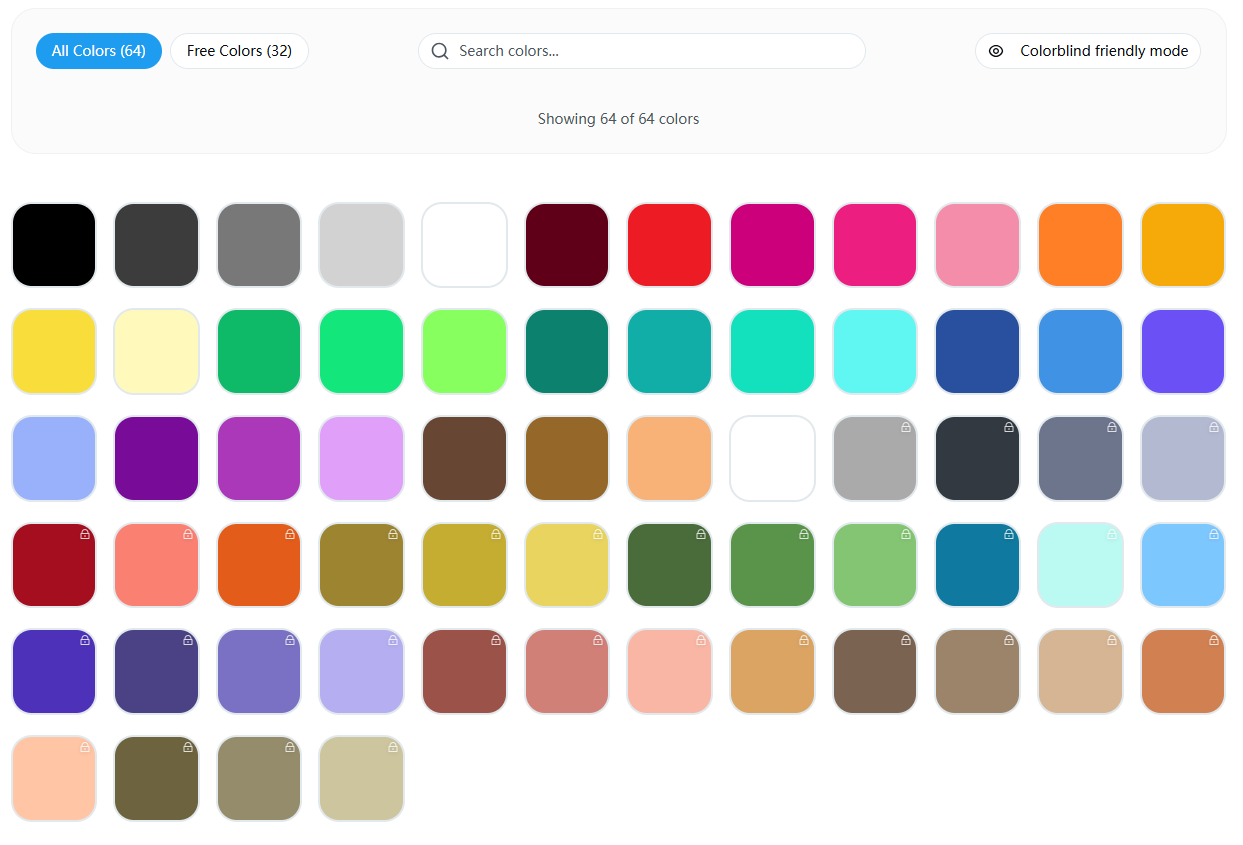
Mastering Wplace includes understanding its sophisticated color economy, which balances accessibility with advanced creative options.
The 63-Color Palette System
Wplace features a carefully curated 63-color palette divided into two tiers:
- 31 Free Colors: Available to all users immediately upon registration
- 32 Premium Colors: Unlockable through "droplets," the platform's in-game currency
Earning and Spending Droplets
Users accumulate droplets through:
- Regular engagement: Placing pixels and leveling up
- In-app purchases: Direct purchase options are available
Droplets can be strategically spent on:
- Premium color access: Unlocking the 32 premium colors
- Pixel pool expansion: Increasing maximum storage capacity
- Current pixel refills: Instantly replenishing available pixels
- Cosmetic upgrades: Profile pictures and country flag displays (flags provide a 10% pixel restoration bonus when painting in the corresponding country)
Color Conversion Strategies
For artists working with existing images, effective color conversion techniques include:
- Dithering algorithms: Creating perceived color variety through pattern placement
- Palette optimization: Prioritizing free colors for large areas
- Strategic premium use: Reserving paid colors for crucial details and highlights
Smart color management can achieve professional results while minimizing droplet expenditure, making high-quality artwork accessible to users regardless of spending capacity.
Can I Paint Over Others? Rules, Etiquette & Safety
Using Wplace effectively involves navigating the complex social dynamics of collaborative creation.
Overwriting vs. Vandalism
Yes, you can paint over existing artwork, but the community distinguishes between constructive overwriting and destructive vandalism:
Allowed Overwriting:
- Improving existing artwork with better technique
- Adapting art to evolving community themes
- Creating new artwork in unused or abandoned areas
- Collaborating to enhance shared projects
Prohibited Vandalism:
- Deliberately destroying established artwork without purpose
- Placing inappropriate or offensive content
- Using automated tools or bots for placement
- Creating multiple accounts to circumvent pixel limitations
Community Guidelines
Wplace maintains several essential community rules based on its Terms of Service:
- No hate speech or inappropriate content: The platform actively moderates against offensive material
- No automation: Bots, scripts, and automated pixel placement are strictly prohibited
- Respect collaborative efforts: Consider existing community projects before major changes
- Use reporting tools: Flag violations to help maintain platform quality
The platform includes robust reporting mechanisms and moderation systems, though rapid user growth has created ongoing challenges for consistent enforcement across the massive user base.
Collaborative Etiquette
Successful Wplace participation involves:
- Communication: Engaging with local communities about planned artwork
- Coordination: Working within established regional themes
- Patience: Understanding that major projects require time and multiple contributors
- Respect: Acknowledging others' creative efforts and time investment
The platform includes reporting mechanisms and moderation systems, though rapid growth has created challenges in maintaining consistent enforcement across the massive user base.
From Idea to Canvas: A Starter Workflow (Tools Included)
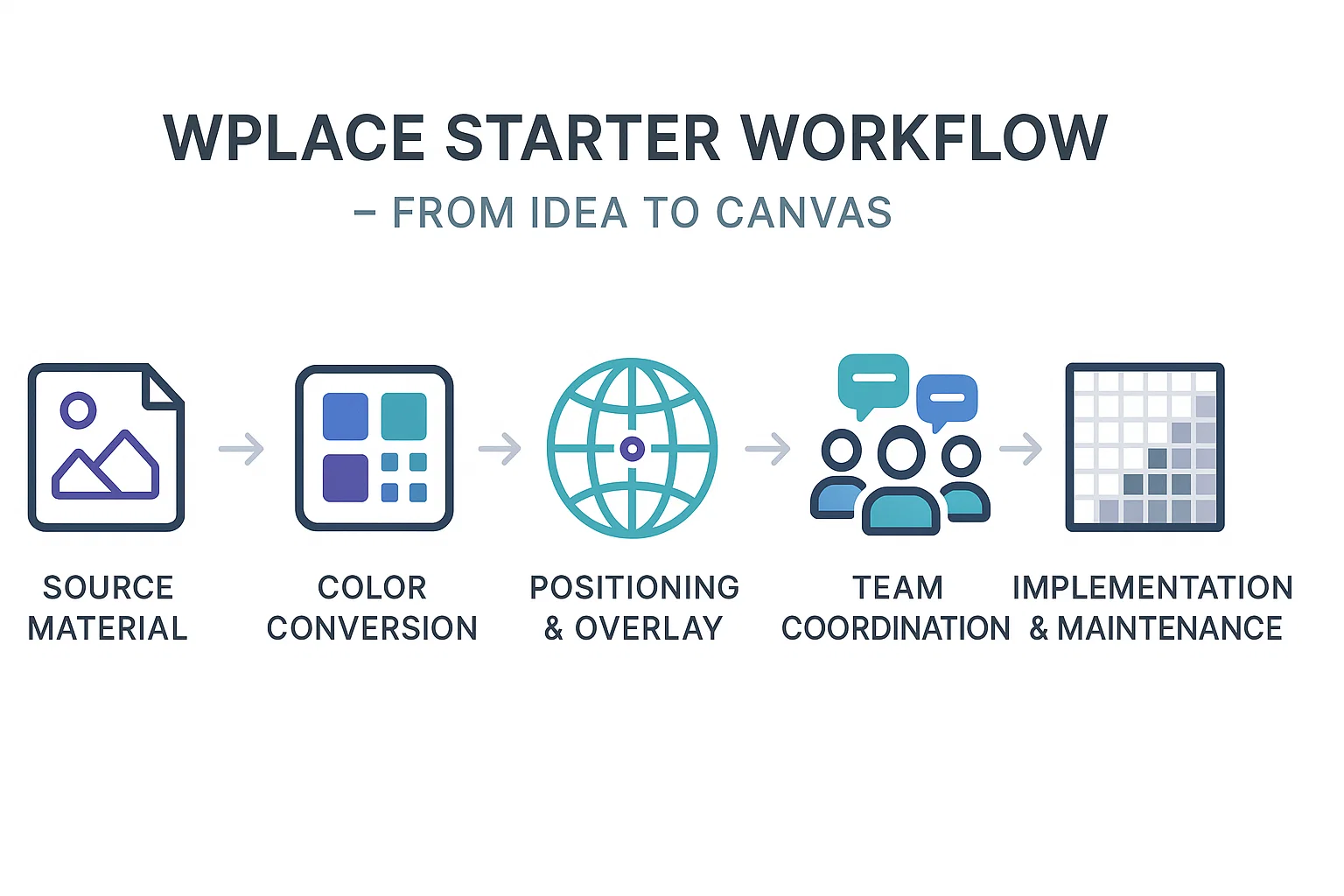
The Wplace experience culminates in learning how to transform creative ideas into collaborative reality through a systematic approach.
5-Step Creative Workflow
1. Prepare Your Source Material
- Choose or create artwork suitable for pixel art conversion
- Consider scale and location on the world map
- Analyze color complexity and conversion requirements
2. Color Conversion and Optimization
- Use color conversion tools to match Wplace's 63-color palette
- Prioritize free colors for large areas
- Apply dithering techniques for smooth gradients
- Test different conversion algorithms for optimal results
3. Positioning and Overlay Setup
- Select strategic locations on the world map
- Use coordinate overlay tools (TL X/TL Y) for precise placement
- Consider geographic relevance and community context
- Plan for collaborative access and visibility
4. Team Coordination and Planning
- Establish communication channels for collaborative projects
- Create pixel placement schedules accounting for 30-second cooldowns
- Assign team members to specific sections or colors
- Develop backup plans for vandalism or interference
5. Implementation and Maintenance
- Begin systematic pixel placement following the planned sequence
- Monitor progress and adapt to community feedback
- Maintain artwork against natural degradation and overwriting
- Document successful techniques for future projects
Mobile and Cross-Platform Considerations
Wplace is available on web browsers and through official iOS and Android applications (launched in August 2025), enabling:
- On-the-go participation: Quick pixel placement during commutes or breaks
- Coordinate sharing: Easy location sharing between devices
- Community coordination: Primary collaboration occurs through Discord servers and third-party communication tools
Export and Documentation Options
While the official platform focuses on the core pixel placement experience, the community has developed various third-party tools for enhanced functionality:
- Screenshot capabilities: Browser-based image capture of canvas sections
- Template management: Community-created tools for planning and coordination
- Progress tracking: Third-party solutions for documenting creation processes
FAQ
What is Wplace?
Wplace is a collaborative online platform where users create pixel art on a 4-trillion-pixel digital world map, launched in July 2025 by Brazilian developer Murilo Matsubara.
How does the 30-second cooldown work?
Each user has a pixel pool that regenerates one pixel every 30 seconds. The maximum pool size increases as users level up through continued participation.
How many pixels are on Wplace?
Wplace features approximately 4 trillion pixels across its interactive world map canvas, with each pixel representing roughly 125-130 square meters of Earth's surface (estimated).
Can I paint over other drawings?
Yes, overwriting is allowed, but mindless vandalism is discouraged. The community distinguishes between constructive improvements and destructive behavior.
When did Wplace launch and who created it?
Wplace launched on July 21, 2025, developed by Brazilian programmer Murilo Matsubara. It grew from a solo project to a 46-member team within its first month.
Why is Wplace so popular now?
Wplace combines the appeal of collaborative art with geographic context and permanent operation, attracting over 10.6 million users who appreciate its community-driven creative expression.
Where can I find the official colors?
Wplace uses a 63-color palette with 31 free colors and 32 premium colors unlockable through droplets. Color conversion tools help optimize artwork for the official palette.
Ready to Try? Convert Your First Image
Now that you understand what is Wplace, you're ready to join millions of creators in this collaborative digital canvas. Getting started takes just minutes:
Quick Start Guide:
- Upload your image to a color conversion tool
- Convert to Wplace's official palette using dithering for best results
- Use overlay tools to position your artwork precisely on the world map
Safety and Best Practices:
- Start with small projects to learn the community dynamics
- Respect existing artwork and collaborate when possible
- Use reporting tools to maintain platform quality
- Engage with local communities for larger projects
Essential Community Tools and Resources:
Note: Most tools listed below are community-created (not official). Use responsibly and follow Wplace's Terms of Service (no automation).
- Color Converter - Transform any image to Wplace's 63-color palette
- Wplace Palette - Official color reference and optimization guide
- Template Guide - Step-by-step artwork planning and execution
- Wplace Rules - Community guidelines and etiquette standards
- Overlay Guide - Precise positioning tools and techniques
- Wplace Extension - Browser tools for enhanced functionality
Join the global community of digital artists and discover how your creativity can contribute to the world's largest collaborative artwork. Whether you're creating solo masterpieces or joining massive community projects, Wplace offers unlimited potential for artistic expression on a truly global scale.